
LetsGo2U Withdraw Guide
LetsGo2U Withdraw Overview
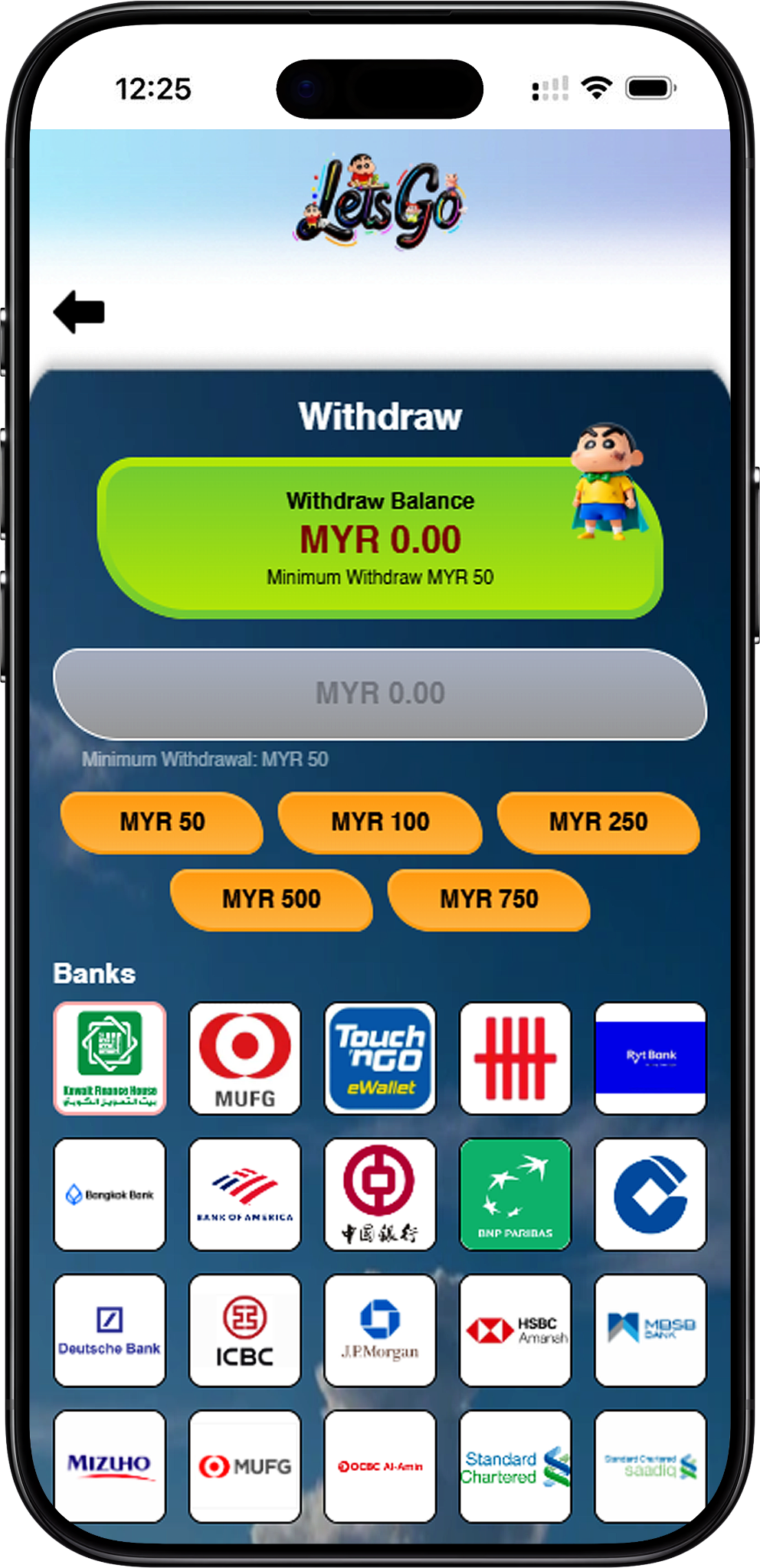
Check Your Withdraw Balance
Before making a withdrawal, check the Withdraw Balance displayed at the top of the page. The available balance indicates the amount currently shown for withdrawal, while the page also displays the applicable minimum withdrawal requirement.
Prepare Your Withdrawal Information
The withdrawal form requires users to choose an available amount and bank before entering an account number, account name and PIN code. Check these details carefully before submitting the request.
LetsGo2U Withdraw Steps
Step 1: Check the Available Withdraw Balance
Open the LetsGo2U Withdraw page (/en/withdraw, internal link) and review the Withdraw Balance shown at the top. Make sure the balance is sufficient for the amount you intend to withdraw.
Step 2: Select a Withdrawal Amount
Choose one of the available MYR withdrawal amounts displayed on the page. The interface shown provides preset options of MYR 50, MYR 100, MYR 250, MYR 500 and MYR 750.
Step 3: Select Your Bank
Choose the appropriate bank or supported payment option from the Banks section. The withdrawal page displays multiple available institutions, so select the option that corresponds to the account you want to use.
Step 4: Enter the Account Number
Enter the account number associated with your selected bank in the Account Number field. Review the number before continuing to reduce the risk of submitting incorrect withdrawal information.
Step 5: Enter the Account Name
Fill in the Account Name field with the name associated with the selected account. Make sure the information entered corresponds to the account details you intend to use for the withdrawal.
Step 6: Enter Your PIN Code
Enter the required six-digit PIN code in the PIN Code section. The page provides six separate PIN fields for completing this verification step.
Step 7: Submit the Withdrawal Request
Review the selected amount, bank, account number and account name, then select Submit to send the withdrawal request. Avoid submitting until you have checked that the entered information is correct.
Withdrawal Amount and Minimum Requirement
Minimum Withdrawal Is MYR 50
The LetsGo2U withdrawal page displays a minimum withdrawal amount of MYR 50. A withdrawal request should therefore meet the minimum amount shown on the page before it is submitted.
Available Preset Withdrawal Amounts
The displayed withdrawal options are MYR 50, MYR 100, MYR 250, MYR 500 and MYR 750. Select an amount according to the available Withdraw Balance and the choices currently provided on the withdrawal page.
Bank Account Details and PIN Code
Select the Correct Bank
LetsGo2U provides a selection of banks and supported payment options directly within the withdrawal interface. Users should choose the option associated with the account details they are going to enter rather than selecting a different institution.
Check Account Information Before Submission
Both the Account Number and Account Name fields appear after the bank selection section. Check that the information entered is accurate and corresponds with the selected account before proceeding.
Complete PIN Verification
The six-digit PIN code is required as part of the withdrawal submission process shown on the page. Keep the PIN private and enter it only in the designated withdrawal interface when confirming your own request.
LetsGo2U Withdrawal FAQ
What is the minimum LetsGo2U withdrawal amount?
The withdrawal page shown states a minimum withdrawal of MYR 50.
What withdrawal amounts can I select?
The available preset amounts shown are MYR 50, MYR 100, MYR 250, MYR 500 and MYR 750. Available options should always be checked on the current withdrawal page before submission.
What information is required for a LetsGo2U withdrawal?
The displayed withdrawal process requires an amount selection, a bank or supported payment option, an account number, an account name and a six-digit PIN code.
Why should I check my Withdraw Balance first?
The Withdraw Balance shows the amount currently available for withdrawal on the page. Checking it first helps you determine whether the balance is sufficient for your selected withdrawal amount.
Can I change the bank before submitting?
The withdrawal interface provides multiple bank options for selection. Choose the correct option and verify your account information before pressing Submit.
Withdraw Your LetsGo2U Balance
Check your available balance, select an eligible withdrawal amount and bank, complete the required account information, and review the details before submitting your request.